Most blogging advice tells you to “write great content and be consistent.” That’s true — but it’s barely half the equation. I’ve been building and managing WordPress blogs for 7+ years, and the blogs that grow fastest are the ones combining good content with the right technical setup, keyword targeting, and promotion systems.
This guide covers what actually works — from SEO fundamentals to tools, hosting performance, and channels most bloggers completely ignore.
This post contains affiliate links. If you purchase through our links, we may earn a small commission at no extra cost to you. Thank you for your support!Start With Keyword Research — Not Topic Ideas
This is where most blogs go wrong. They pick topics based on what feels interesting, then wonder why Google ignores them.
Traffic starts with demand. If nobody’s searching for it, nobody’s finding it.
Before writing any post, you need to answer: Is there a real search volume for this? Can I realistically rank for it? What does the person actually want when they search this?
Use a keyword research tool. I use Semrush for most of my research — it shows keyword difficulty, search intent, SERP features, and competitive data in one place. The Pro plan at $139.95/mo (monthly) or $117.33/mo billed annually gives you 500 tracked keywords and up to 5 websites to monitor. For a blogger managing 1–2 sites, that’s usually enough.
If budget is tight, Mangools is a solid beginner-friendly alternative. The Basic plan is $30.50/mo (monthly) or $18.85/mo annually — it gives 100 keyword research requests per day and 200 keyword tracking slots, which is decent for a solo blogger starting out.
The strategy: Find low-competition, high-intent keywords with 500–5,000 monthly searches. These are your easiest ranking wins. Build topical clusters around them — a pillar post supported by 4–6 supporting articles on related subtopics. This signals authority to Google in your niche.
On-Page SEO — The Part Bloggers Half-Do
You can write the best article in your niche and still rank on page 3 if on-page SEO is weak. It’s not about stuffing keywords — it’s about making your content easy for Google to understand.
Things that matter most:
- Title tag and H1 — Primary keyword near the beginning, not buried at the end
- Meta description — Treat it as a mini-ad, not a summary
- URL structure — Short, clean, keyword-inclusive
- Internal linking — Connect related posts; this distributes authority and reduces bounce rate
- Image alt text — Every image should describe what it shows, using natural language
- Content depth — Cover the topic more thoroughly than your competitors, not just longer
For WordPress users, Rank Math handles most of this efficiently. The PRO plan is $7.99/mo billed annually (renews at $8.99/mo) — it covers unlimited personal websites, 500 keyword tracking slots, advanced schema, and their AI-powered AI Link Genius feature. It’s the plugin I have installed on almost every client site because of how much it automates without slowing the site down.
One thing competitors rarely mention: Rank Math’s schema generator is one of the most complete in the WordPress ecosystem. Article, FAQ, HowTo, Product — it handles all of them properly, and structured data directly supports rich snippets which drive higher CTR from search results.
Content Strategy — What to Publish and How Often
Consistency matters, but consistency without strategy wastes time.
The 80/20 of blog content: About 80% of your traffic will come from 20% of your posts — usually the ones targeting a specific search query with a clear answer. These are your money pages. The rest is supporting content.
Focus first on:
- Informational queries — “How to”, “What is”, “Best X for Y” — these drive the highest organic volume
- Comparison posts — “X vs Y” articles rank well and convert better because readers are already in decision mode
- Listicles with real depth — Not “10 tips” with one-liner bullets, but “10 tools with actual use cases”
For AI-assisted writing, Koala AI is worth considering if you’re publishing at volume. The Professional plan is $49/mo monthly (or $39/mo annually, billed $468/year) — it gives 100,000 words/month, automatic internal linking, deep research, KoalaLinks, and AI-powered editing. It integrates with WordPress directly which saves time on the publishing side.
That said — don’t publish AI content without editing. Google’s helpful content systems are getting better at identifying thin, unedited AI output. Use it to accelerate research and structure, then add your own observations and examples.
Publishing frequency reality check: Two well-researched posts per week beats five thin ones. I’ve seen client blogs go from 1,200 to 8,000 monthly visitors in four months by dropping from daily posting to 3x/week — but with proper keyword targeting and better depth on each piece.
Site Speed and Hosting — The Silent Traffic Killer
Here’s something most “boost blog traffic” articles skip entirely: your hosting directly affects your search rankings.
Google uses Core Web Vitals — LCP, CLS, FID — as ranking signals. A slow server kills your LCP score even if your theme and images are optimized. I’ve worked on client sites where simply migrating from shared hosting to a faster provider moved rankings by 4–6 positions on competitive keywords — without changing a single word of content.
What to look for in hosting:
- NVMe storage (significantly faster than SSD for database-heavy WordPress)
- PHP 8.x support
- Object caching or Redis support
- Low TTFB (Time To First Byte) — ideally under 200ms
Hostinger Business plan at $3.99/mo (on 48-month term, regular $18.99/mo) includes 50 GB NVMe storage, free CDN, daily backups, 2 CPU cores, 3 GB RAM, and supports up to 50 websites. Good entry point for bloggers who want reliable performance without managed hosting costs.
For blogs getting serious traffic — 30K+ monthly visitors or running WooCommerce — Cloudways gives more control. Their Flexible plan on DigitalOcean starts at $14/mo for a Micro server (1 GB RAM, 1 vCPU, 25 GB NVMe) up to $54/mo for Medium (4 GB RAM, 2 vCPU, 80 GB NVMe). You get staging, built-in object cache pro, automated backups, and server-level firewall — features that shared hosts charge extra for.
Bluehost Starter plan at $3.99/mo (for 36-month term, renews at $9.99/mo) is a reasonable entry option — 10 websites, 10 GB NVMe SSD, free domain for year one, and 99.99% uptime SLA. Not the fastest of the three, but the WordPress integration is tight and it’s beginner-friendly.
Your Theme Matters More Than You Think
A bloated theme that loads 15+ scripts on page load will tank your Core Web Vitals no matter how good your hosting is. From a performance standpoint, theme choice is often the biggest variable on shared hosting environments.
I use GeneratePress on roughly 80% of my own projects. The GeneratePress One bundle is $99/year (introductory pricing) and includes GP Premium, GenerateBlocks Pro, GenerateCloud, 80+ starter sites, and 200+ patterns. It’s genuinely one of the lightest themes available — minimal JS, clean HTML output, no jQuery dependencies for basic functionality.
Kadence is another strong option, especially if you want more design flexibility out of the box. Their Pro plan is $299/year and their Essentials plan starts at $99/year — it comes with the Kadence theme, Blocks Pro page builder, and 200+ starter templates. The WooCommerce-specific features in the Pro and Elite tiers are useful if you’re monetizing through a store.
Both are Gutenberg-compatible, load fast, and don’t add render-blocking scripts that hurt LCP scores.
Build Topical Authority — Not Just Individual Posts
Google rewards sites that cover a topic deeply, not sites with one great post surrounded by unrelated content.
Topical authority means: if your blog is about WordPress, publish content about WordPress themes, plugins, hosting, SEO, performance, monetization — all interconnected. When Google sees that pattern, it starts trusting your site as a source for that entire subject area.
Practically, this means:
- Create content clusters (one pillar, multiple supporting posts)
- Link supporting posts to the pillar and to each other contextually
- Don’t chase random trending topics outside your niche just for traffic spikes
- Update old posts when rankings drop — stale content loses rankings faster than you’d think
One underrated tactic: look at your top-performing posts in Google Search Console, find related queries you’re getting impressions but not clicks for, then create new supporting content targeting those exact queries.
Push Notifications — The Channel Most Bloggers Ignore
Email lists get all the attention. Social media gets all the noise. But push notifications are an underused, cost-effective way to pull repeat visitors back to your blog.
When someone subscribes to push notifications, you can notify them directly — browser-level — whenever you publish new content. No algorithm. No inbox competition.
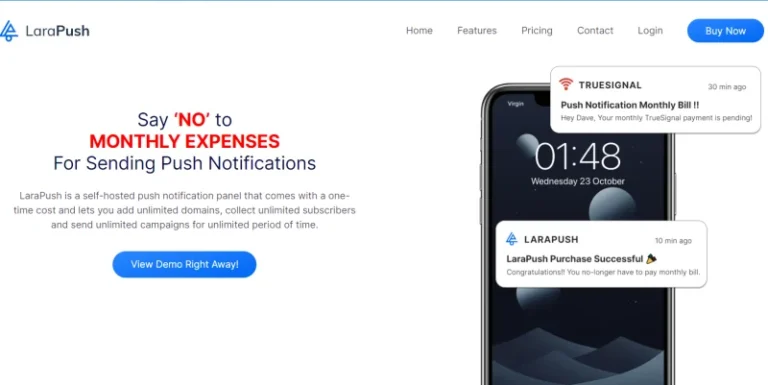
LaraPush is a self-hosted push notification tool with a one-time payment model — Startup plan at $499 one-time and Pro plan at $799 one-time. Both include unlimited domains and unlimited subscribers. The Pro adds segmentation, drip campaigns, WordPress plugin integration, and import/export functionality. No recurring costs — which is a meaningful difference compared to tools like OneSignal ($3,000/million subscribers/year) or Gravitec ($1,000/month).
For bloggers building a repeat readership base, this is one of the few traffic channels that doesn’t depend on search algorithms or social reach.
AI Search Visibility — The Channel That’s Growing Fast
Most bloggers are still optimizing only for traditional Google search. But AI-powered search — ChatGPT, Perplexity, Google AI Overviews — is now sending traffic to content that gets cited in AI answers.
This is called GEO (Generative Engine Optimization), and it’s becoming a real traffic source.
What gets cited in AI answers:
- Content with clear, direct answers to specific questions
- Well-structured articles with schema markup
- Sites with established domain authority and clean E-E-A-T signals
- First-person experience and specific data points
Semrush One — their newer product line — now includes AI Visibility tracking. The Starter plan is $199/mo monthly or $165.17/mo billed annually. It monitors 50 AI prompts daily, tracks brand mentions across AI platforms, and includes AI-ready Site Audit alongside traditional SEO tools. If you’re serious about tracking both traditional and AI search performance, this is the most integrated toolset available right now.
Backlinks — You Still Need Them
Organic traffic without backlinks is possible in low-competition niches, but for anything moderately competitive, backlinks still move the needle.
Realistic link-building strategies for bloggers:
- Guest posting on niche-relevant sites (not generic “write for us” directories)
- Resource page outreach — Find pages that link to similar tools/guides, pitch yours
- HARO/journalist queries — Respond to journalist requests in your niche; when cited, you get a quality backlink
- Broken link building — Find broken links on relevant sites and offer your content as a replacement
- Digital PR — Publish original data, surveys, or studies — these get cited naturally
Don’t buy links. It works until it doesn’t, and the penalty risk isn’t worth it for a long-term content business.
What Most People Miss: The Update Strategy
New content gets attention. Updated content keeps rankings.
Google’s freshness signal rewards pages that are regularly reviewed and improved. A post that ranked #4 two years ago might be sitting at #11 now simply because competitors updated their pages and you didn’t.
What updating actually means — not just changing a date:
- Add new information or recent data points
- Remove outdated recommendations
- Improve internal links
- Expand thin sections
- Fix any keyword drift (check GSC — sometimes posts rank for different queries than they were written for)
I typically do a content audit every 3–4 months on my own sites, prioritizing posts sitting in positions 5–15 in GSC. Those are the easiest ranking improvements to get.
Pros and Cons of a Traffic-Focused Blog Strategy
Pros
- Compound returns — SEO traffic grows over time without ongoing spend
- Multiple traffic channels reduce dependency on any single platform
- Well-optimized content keeps driving leads/affiliate conversions passively
- AI search visibility is an emerging advantage most bloggers haven’t tapped yet
Cons
- Takes 6–12 months to see meaningful organic traffic from new content
- Technical setup (hosting, speed, plugins) requires upfront investment and learning
- Keyword research tools add recurring monthly costs — not free
- Link building is time-intensive and results are inconsistent without outreach systems
Why I Invest in the Right Tools — And What That’s Done for My Traffic
One thing I’ve clearly observed over 7 years of blogging: blogs that rely entirely on free tools do rank — but they don’t hold. Rankings come, and within a few months they start slipping. Because the competition has better data, better infrastructure, and better tools working for them.
My personal take is simple — you have to spend money to make money. And in blogging, that investment should start with the right tooling and hosting before anything else.
On the hosting side — I started on shared hosting, like most people do. But once I understood that server response time directly impacts rankings, I moved to cloud. Right now I run my own blogs on both Cloudways and Hostinger cloud, and I recommend fast hosting on every client project I take on. On one client site, I migrated to a better server without touching a single line of content — and the rankings improved noticeably. Fast hosting isn’t just about user experience. It’s an active SEO variable.
Themes followed the same path. I used free themes early on. Then I realized that paid themes give you the extra controls — performance optimization, layout builder, header/footer customization — without needing separate plugins for each. Fewer plugins means a cleaner codebase and faster load times. These days, about 80–90% of my projects run on either GeneratePress or Kadence. Both are genuinely lightweight, load minimal JavaScript, and have a measurable positive impact on Core Web Vitals — which directly translates to better rankings and more traffic.
Search traffic alone isn’t enough — that’s a lesson time teaches you. I’ve built my audience across multiple platforms: WhatsApp groups and channels, a Telegram channel, Instagram where I currently have 200K+ followers, and my Karan Rajput KK Facebook group which has crossed 1 million members. The practical benefit is that when a new article goes live, direct traffic starts flowing immediately — no waiting around for Google to crawl and index it.
LaraPush fits into the same thinking. I use it on my own blogs and have shared an honest review on my site — read the LaraPush review here. What I find genuinely useful about it is the immediacy. Sometimes you need to reach your audience fast — a deal goes live, something important needs to be communicated — and in those moments, a browser push notification outperforms email by a significant margin. For direct traffic, it’s one of the most underrated channels out there. And since it’s a one-time payment rather than a recurring subscription, the long-term value is hard to argue with.
The bloggers who consistently grow their traffic aren’t just focused on content. They keep their infrastructure solid and they stay connected to their audience in more than one place.
Tool Stack Comparison — What You Actually Need
| Tool | Category | Monthly Cost | Best For |
|---|---|---|---|
| Semrush Pro | SEO Research | $117.33/mo (annual) | Full SEO + competitor analysis |
| Mangools Basic | SEO Research | $18.85/mo (annual) | Budget-friendly keyword research |
| Rank Math PRO | On-Page SEO | $7.99/mo (annual) | WordPress SEO + schema automation |
| Koala AI Professional | Content | $39/mo (annual) | AI-assisted blog writing at scale |
| Hostinger Business | Hosting | $3.99/mo (48-month) | Affordable, reliable WordPress hosting |
| Cloudways Medium | Hosting | $54/mo | High-traffic blogs needing performance |
| GeneratePress One | Theme | $99/year | Fastest, lightest WordPress theme |
| LaraPush Pro | Push Notifications | $799 one-time | Repeat traffic without recurring cost |
Beginner bloggers don’t need all of these. Start with Rank Math + Mangools + Hostinger — that covers SEO, on-page optimization, and reliable hosting under $25/month combined. Add tools as your traffic and revenue grow.
Frequently Asked Questions
How long does it take to boost blog traffic with SEO?
For new blogs, expect 4–8 months before significant organic traffic arrives. This is because Google takes time to crawl, index, and build trust in new domains. Low-competition keywords can rank faster — sometimes within 6–8 weeks — while competitive queries can take 12+ months. The timeline shortens significantly once your domain has some age and backlinks.
Do I need a paid SEO tool to grow blog traffic?
Not at the very start. Google Search Console and Google Keyword Planner are free and useful for basics. But once you’re publishing 3–4 posts per week or managing more than one site, a paid tool like Mangools Basic ($18.85/mo annually) or Semrush Pro ($117.33/mo annually) saves significant time and surfaces opportunities you’d miss manually.
It depends on your niche. For lifestyle, food, or travel blogs — absolutely. For technical niches like WordPress, SaaS, or B2B — organic search typically converts better and is more sustainable. Social media traffic is high-volume but low-intent; SEO traffic is lower-volume but highly targeted. Most bloggers should treat social as a distribution channel for content, not the primary traffic strategy.
What’s the single biggest reason blogs don’t get traffic?
Wrong keyword targeting. Most blogs publish content nobody is searching for, then wonder why Google ignores them. Every post should answer a real search query with verifiable demand. No demand = no organic traffic, regardless of content quality.
Does site speed really affect blog traffic?
Yes — directly. Google uses Core Web Vitals as a ranking factor, and a slow LCP score can push you down 3–6 positions even with good content. From a practical standpoint, if your hosting has weak CPU or your theme loads render-blocking scripts, that’s a rankings ceiling you’re bumping against constantly. Upgrading hosting or switching to a lighter theme often delivers faster ranking improvements than rewriting content.
Can push notifications replace email marketing for blog traffic?
Not replace — but complement. Push notifications have significantly higher opt-in rates than email forms (some studies suggest 10–15% of visitors opt in versus 1–3% for email). They’re better for re-engagement and breaking news but not suitable for long-form nurturing sequences. LaraPush’s one-time pricing ($499 Startup / $799 Pro) makes it especially cost-effective compared to email tools that charge monthly based on subscriber count.
Should I use AI writing tools for blog content?
AI tools like Koala AI are effective for scaling content production — especially first drafts and research summaries. The Professional plan ($49/mo or $39/mo annually) is reasonable for bloggers publishing regularly. The critical rule: always edit AI output, add personal observations, and verify factual claims. Google’s helpful content guidelines penalize thin, unedited AI content — but human-edited, experience-enriched AI content is fine.
Bottom Line
Boosting blog traffic isn’t about one magic tactic — it’s about stacking the right fundamentals. Good keyword research, clean on-page SEO, a fast site, and consistent content publishing will compound over time in ways that social media sprints simply can’t match.
Start with what matters most for your current stage: if you’re new, get hosting right, install Rank Math, and learn keyword research with Mangools. If you’re past the 10K monthly visitor mark, add Semrush for deeper competitive intelligence, audit your content regularly, and start building your push subscriber list with LaraPush before your competitors do.
The blogs that win long-term aren’t the ones that tried every tactic — they’re the ones that executed the core ones consistently.