Most push notification services work fine until you check the bill. OneSignal charges by subscriber count. iZooto, Gravitec, Notix — all recurring, all expensive once your audience grows.
LaraPush takes a different approach entirely. It’s a self-hosted push notification panel that you install on your own VPS. One-time payment. No monthly limits. No per-subscriber pricing. The value proposition is clear — but self-hosted also means there’s a setup cost, a Firebase dependency, and a learning curve most reviews don’t talk about honestly.
This review covers everything: what you actually get, how the setup works in practice, where it falls short, and which plan makes sense depending on your situation.
This post contains affiliate links. If you purchase through our links, we may earn a small commission at no extra cost to you. Thank you for your support!Quick Answer
In Short: LaraPush is a genuinely unlimited self-hosted push notification panel starting at $499 (one-time). If you run multiple websites and are paying monthly SaaS fees, it pays for itself quickly. The catch is you need a VPS, a Firebase project, and some patience during initial setup. Not a plug-and-play tool.
What LaraPush Actually Is (And How It Works)
LaraPush is not a SaaS. That distinction matters.
With most push notification tools, your subscriber tokens live on their servers. You pay to reach your own audience. With LaraPush, you host the entire panel on your own Ubuntu VPS. Your Firebase project stores the subscriber tokens. Nobody else has access to your data.
The practical flow looks like this: you buy a license, spin up a $6/month DigitalOcean or Vultr VPS (Ubuntu 24.04, minimum 1GB RAM), install LaraPush on a domain or subdomain, connect your Firebase project, and then integrate your websites. From there, all notification management happens through your own panel dashboard.
The installation takes about 15–20 minutes once VPS and DNS are pointed correctly — covered in detail in my experience section below. LaraPush’s automated installer handles the Laravel stack deployment. The trickier part is Firebase setup — generating the service account key, filling in the FCM configuration, which trips up most new users. Their docs cover it, but it’s not hand-holding level documentation.
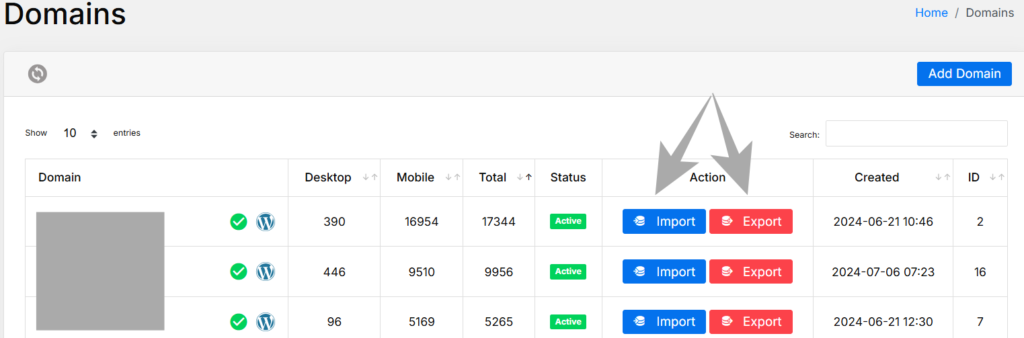
Once it’s running, though, the dashboard is clean. The Domains section lets you manage all your websites, see desktop vs. mobile subscriber counts, and run quick actions. It genuinely scales well across multiple sites.
LaraPush Pricing: Plans Explained
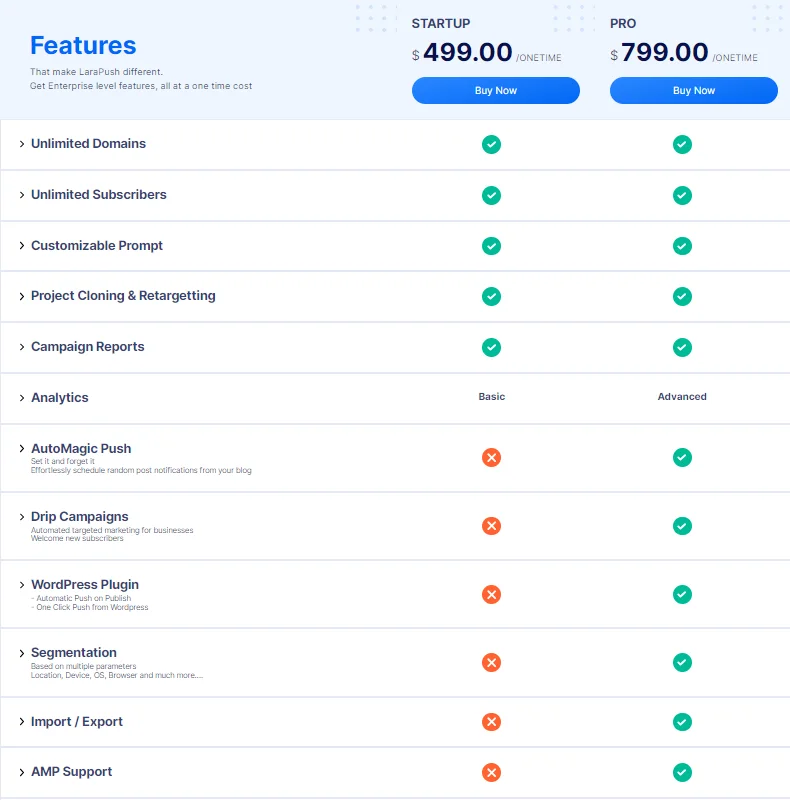
One of the biggest selling points is the pricing model itself. Here’s exactly what’s on offer:
| Plan | Price | Payment Type |
|---|---|---|
| Startup | $499 | One-time |
| Pro | $799 | One-time |
| Premium Add-on | $399 | One-time (with Pro) |
All prices are exclusive of taxes. EMIs are available on the Pro plan.
Startup Plan covers: unlimited domains, unlimited subscribers, customizable prompt, project cloning & retargeting, campaign reports, and basic analytics.
Pro Plan adds everything in Startup plus: advanced analytics, AutoMagic Push, Drip Campaigns, WordPress Plugin (with Push on Publish + One Click Push), Segmentation, Import/Export, AMP Support, and API for Developers.
Premium Add-on ($399, purchased with Pro) unlocks: YouTube links token collection, URL shortener with subscription, templating & cloning options, URL & directory segmentation, automated push for YouTube, automated Google Drive Backup, collection through external links, priority support, and real-time link reports/analytics.

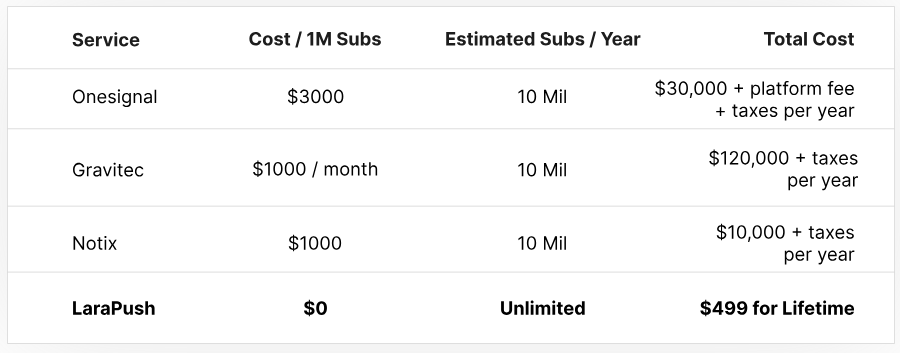
The comparison LaraPush itself makes on pricing is worth understanding. OneSignal charges $3,000 per million subscribers. Gravitec runs $1,000/month. Notix charges $1,000 per million subscribers. For 10 million subscribers per year, you’re looking at $30,000–$120,000 with SaaS providers. LaraPush is $0 ongoing after the one-time purchase.
For anyone running blogs or news sites with growing audiences, the math is straightforward. But if you have under a few thousand subscribers across one or two sites, the ROI calculation is less obvious — and we’ll address that shortly.
What’s Actually Included: Feature Breakdown
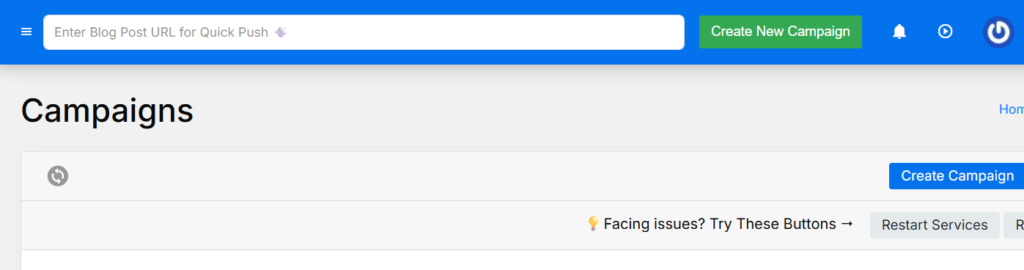
Campaign Management — You create campaigns by pasting a URL, hitting Fetch Content, and LaraPush auto-populates the title, message, and image from that page. Target by all subscribers, manually, or by segment. There’s a live preview before sending. CTA buttons can be added through Advanced Settings — useful for driving specific actions like “Read More” or “Subscribe.”
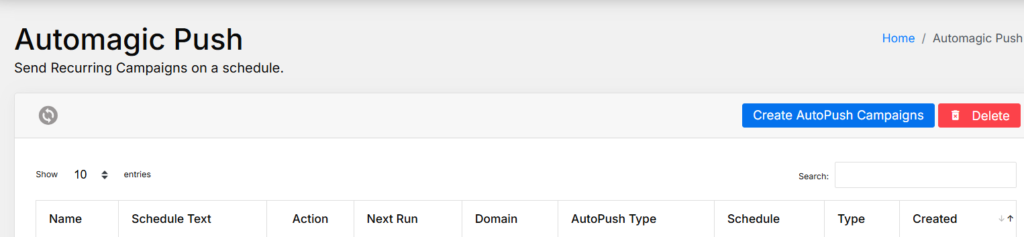
Automation Suite — This is where Pro really differentiates. AutoMagic Push lets you pick random recent posts from your blog and schedule them automatically using cron-tab syntax (Daily, Weekly, specific times). Push on Publish fires a notification the moment a post goes live — WordPress-only, Pro plan only. Welcome, Push sends an automatic notification to new subscribers. YouTube Push lets you collect subscribers directly from your YouTube channel and notify them when new videos go up.
Segmentation — Target subscribers based on URL, Country/State, Device, OS, Browser, and subscription date. You can stack conditions with AND logic and preview the segment size before sending. Good for content publishers running regional or category-specific notification campaigns.

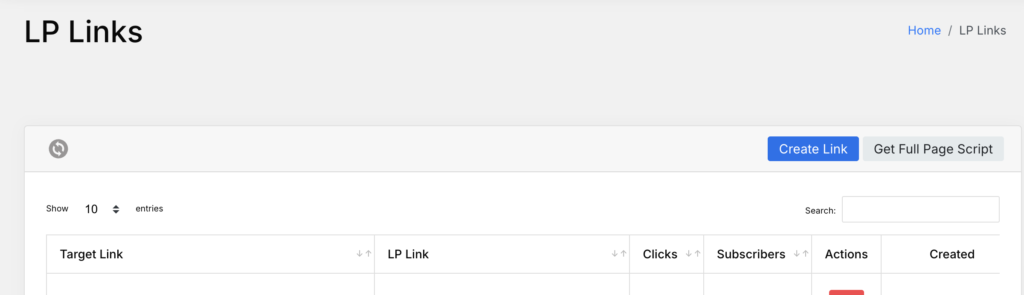
LP Links (LaraPush Links) — An underrated feature. These are shortened, trackable links that trigger a subscription prompt when clicked. You can share them in YouTube descriptions, email footers, social media bios — anywhere outside your website. Subscribers get collected even if they never visit your site directly.
Import/Export — Lets you move subscribers between LaraPush installations. Useful for backups or migrating to a new panel. Note: you cannot use this to migrate subscribers from non-LaraPush services (OneSignal, iZooto, etc.) — they provide a separate Migration Add-On for that.
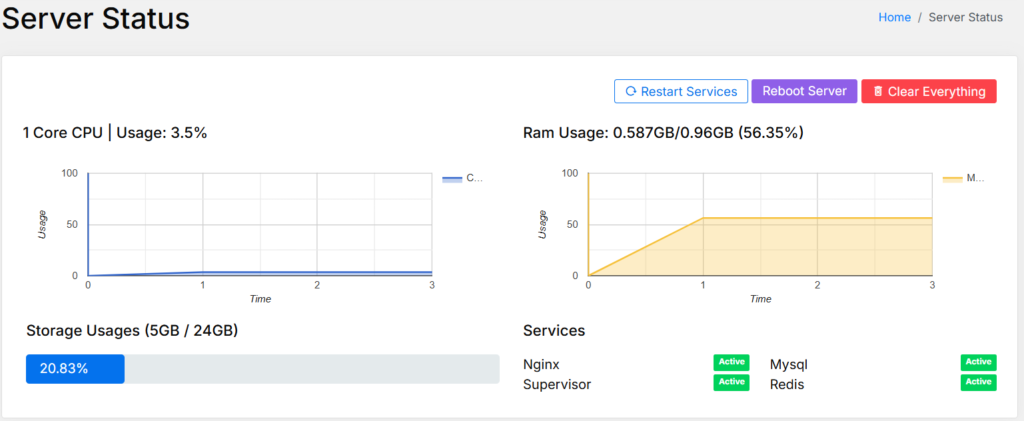
Server Status — Real-time dashboard showing CPU usage, RAM, storage, and service health (Nginx, MySQL, Supervisor, Redis). From a developer standpoint, this is genuinely useful. You can restart services directly from the panel without SSH. One thing worth knowing: worker count is configurable under Advanced Settings, and increasing it too aggressively on a low-RAM server will cause instability.
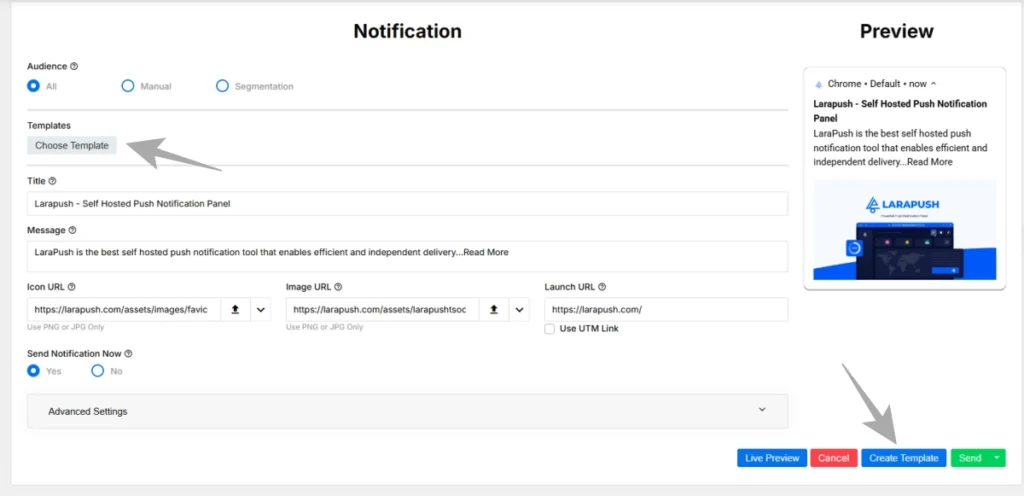
Template Feature — Save campaign content as reusable templates. The Send button has a split option — Send & Create Template or Send & Update Template. Reduces repetitive work for recurring campaigns.
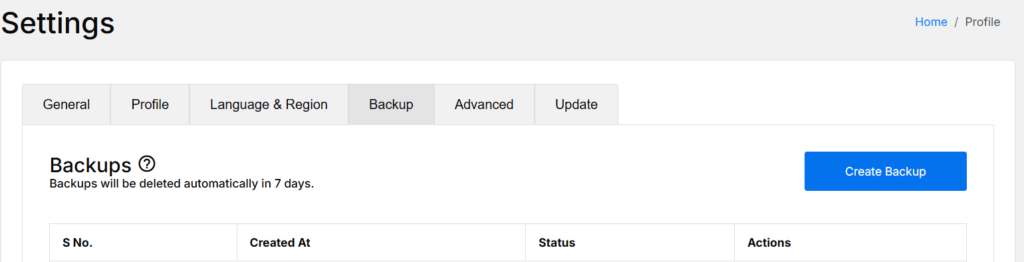
Backup System — Manual and automated backups with optional Google Drive sync. Backups auto-delete after 7 days unless downloaded or pushed to Drive. Before any update to the LaraPush panel, running a manual backup is strongly recommended.
Integration Options
LaraPush integrates with websites through four methods:
WordPress Plugin — Simplest path for WordPress sites. Install the plugin, enter your Panel URL, email, and password, and you’re connected. One-click push from the WordPress admin, Push on Publish automation, PWA configuration for iOS — all handled from the plugin settings. This is the Pro plan only.
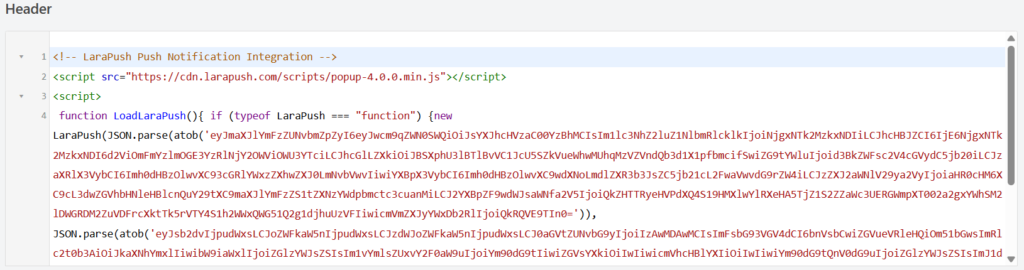
Manual Code Integration — Works for any website. You select your platform type (WordPress, Website, AMP, Blogger), customize the notification prompt style (Custom, Full Screen, Default/Native, Custom with Backdrop), then copy-paste a script into your site’s <head> section and upload two files to your public folder. If you’re on Cloudflare or using a caching plugin, clear the cache immediately after.
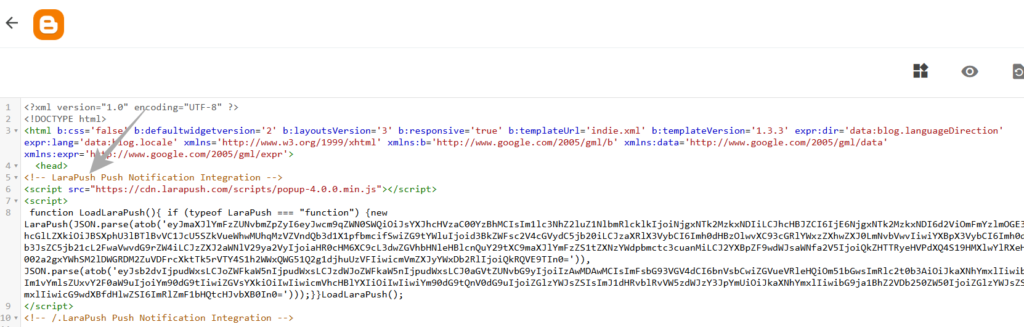
Blogger Integration — Three steps: configure the pop-up in the LaraPush dashboard → paste the script before the closing </html> tag → confirm pop-up visibility. Clean and workable for Blogger users.
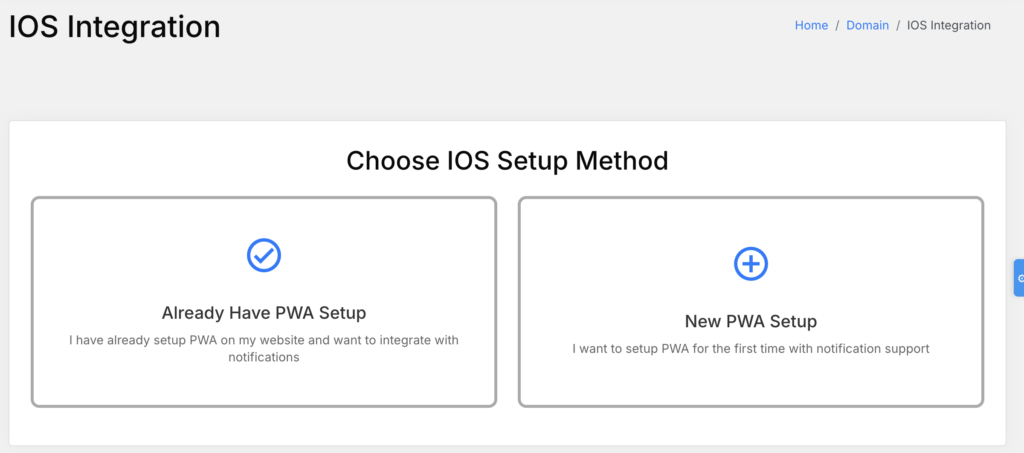
iOS Integration — LaraPush supports iOS push notifications through PWA setup. Two options: New PWA Setup (configures the full PWA structure from scratch, including manifest.json, icons, and iOS prompt) or Existing PWA Setup (adds iOS push support to an already-running PWA). The iOS integration requires downloading a ZIP of files and uploading them to your server’s public directory. Not complicated, but more steps than the web notification setup.
Pros & Cons
Pros
- Genuinely unlimited — no subscriber caps, no domain limits, no campaign throttling
- One-time cost makes it cheaper than SaaS tools within 6–12 months for most publishers
- Self-hosted means subscriber data stays entirely on your server and Firebase project — no third-party data sharing
- LP Links and YouTube subscriber collection are genuinely unique features missing from most competitors
- Real-time server monitoring directly from the panel dashboard is a thoughtful developer-facing addition
- AutoMagic Push and Welcome Push work reliably once cron is configured correctly
Cons
- Requires a VPS — that’s an ongoing server cost (~$6–10/month) on top of the license fee, which no competitor review mentions clearly
- Firebase setup is the biggest friction point: configuring the FCM service account, credentials, and project structure takes time and breaks easily for non-technical users
- The WordPress Plugin (with Push on Publish) is Pro plan only — Startup users miss out on the most useful WordPress-specific automation
- Segmentation, Import/Export, AMP Support, and API access are all gated behind Pro — the Startup plan is noticeably limited compared to what Pro unlocks
- If your Firebase project is accidentally deleted, all subscriber tokens under that project are permanently lost — this is a significant operational risk that requires careful Firebase project management
My Real Experience Using LaraPush — 1 Year 11 Months In
I’ve been running LaraPush on my own DigitalOcean Droplet for almost two years now. Not a test install. Not a demo. My actual panel, on my actual projects — including this website, karankk.com.
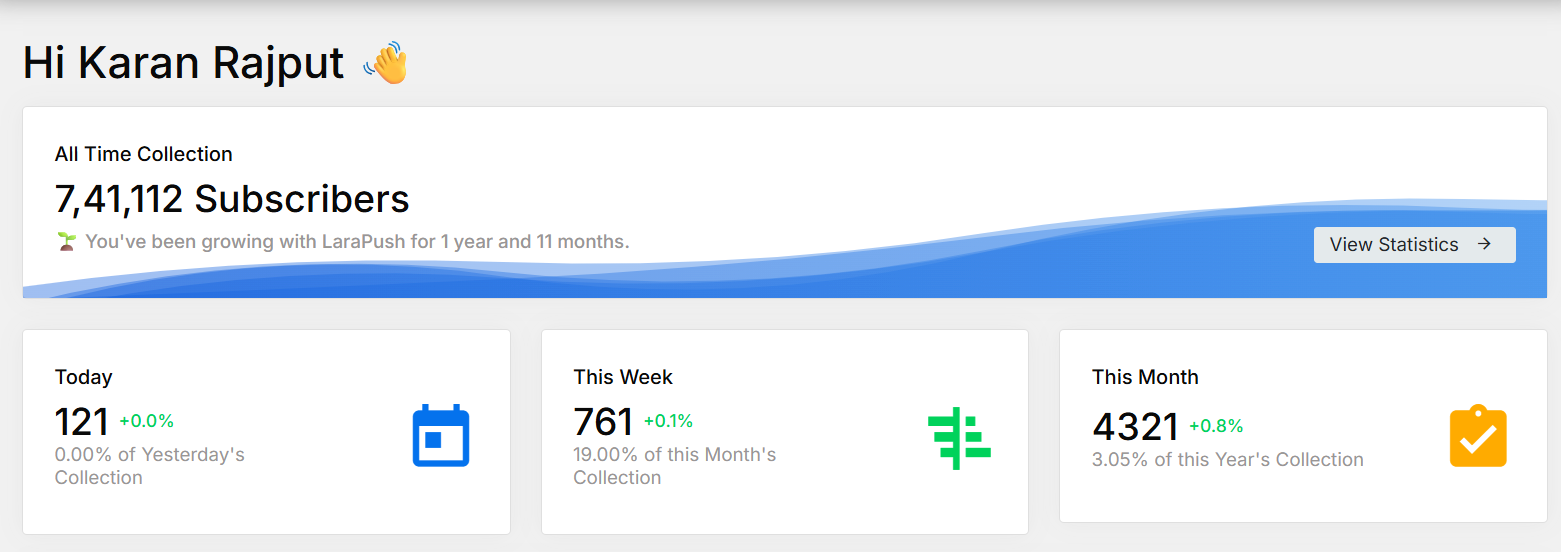
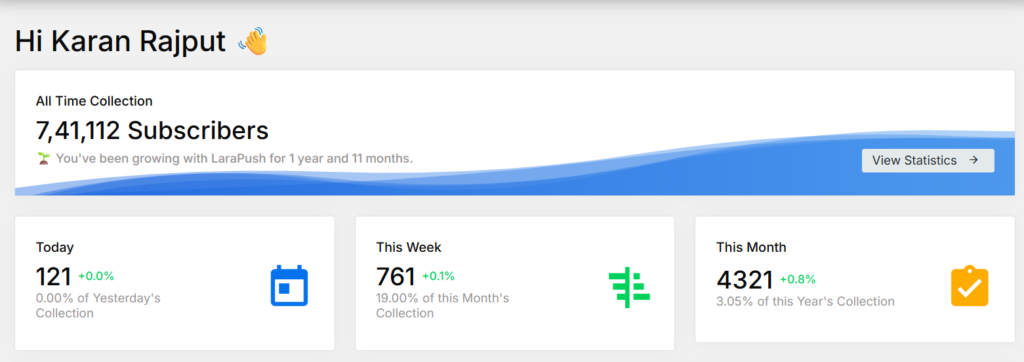
The dashboard currently shows 7,41,112 all-time subscribers collected across my sites. This month alone added 4,321 new subscribers. The panel has been stable throughout — no data loss, no downtime issues worth mentioning, and delivery has been consistent.
The VPS I’m running this on is a single DigitalOcean Droplet — the $6/month plan. That’s it. I pay annually in one shot, which works out to roughly $7.08/month including taxes based on my latest invoice.
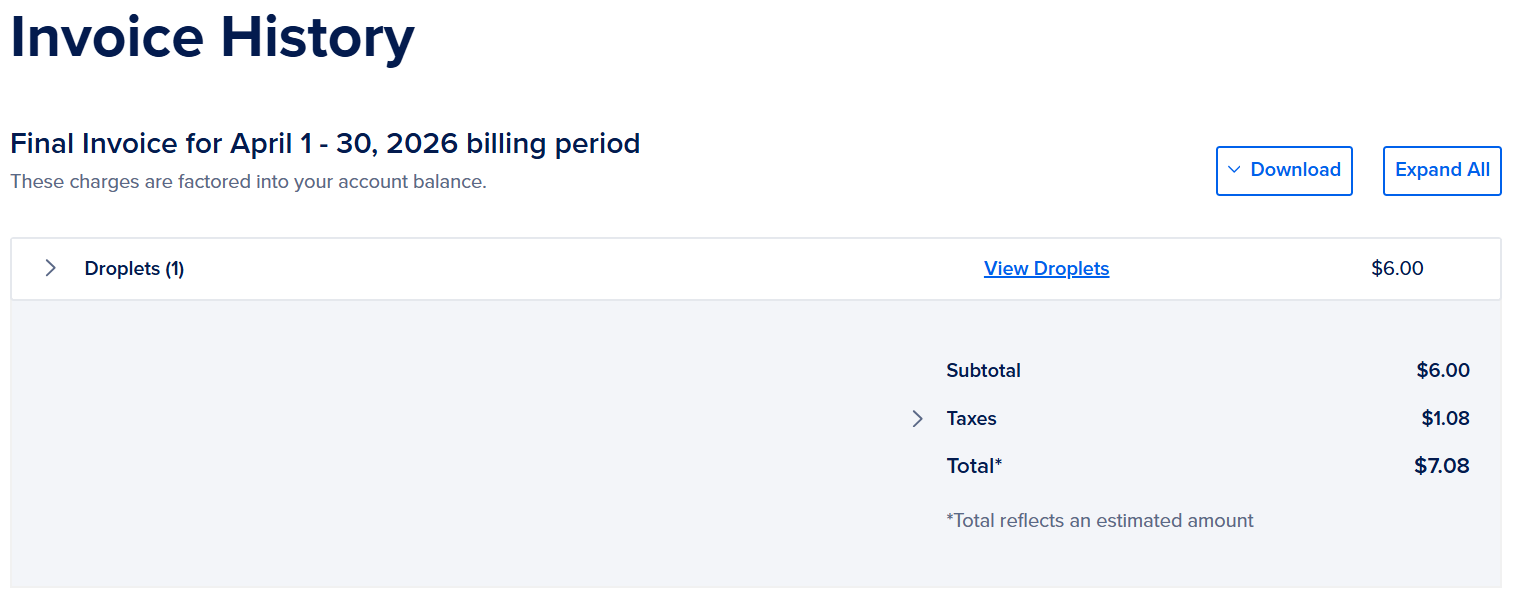
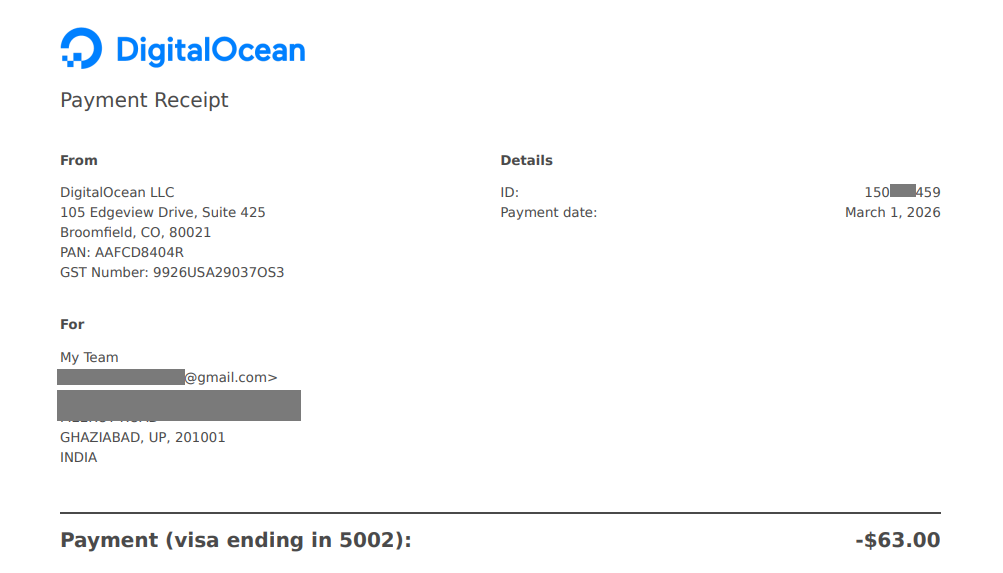
So the actual total cost of running LaraPush for me is: one-time license + ~$85/year in server costs. That’s it. No monthly SaaS fees, no subscriber-based pricing, no surprises.
A $6/month Droplet handles the load comfortably across multiple sites. I haven’t needed to upgrade server specs even as subscriber count crossed 7 lakh. If anything, the server runs well under capacity most of the time — CPU and RAM usage stays low unless you’re running large simultaneous campaigns.

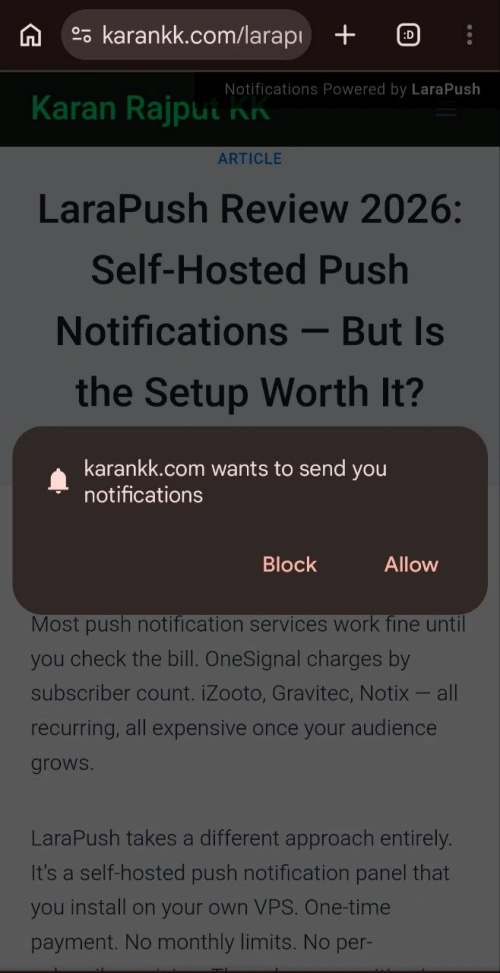
One thing I didn’t fully appreciate before buying: the speed at which subscribers compound once you have multiple sites feeding into one panel is genuinely impressive. You’re not paying more as the list grows — and that’s the whole point of owning your own infrastructure.
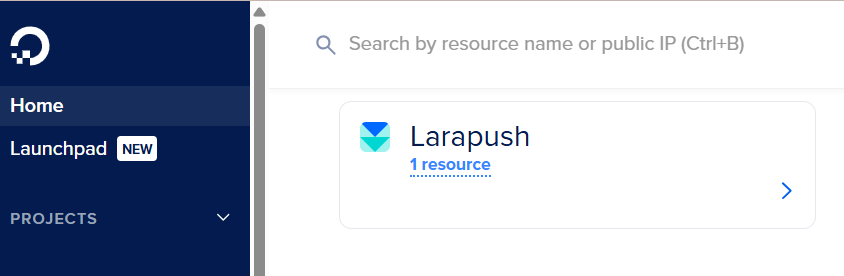
For anyone wondering whether the $6/month DigitalOcean Droplet is enough — based on nearly two years of real usage, yes, it is. You can get started with DigitalOcean here if you need a VPS to host your LaraPush panel.
Who Should NOT Buy LaraPush
Skip LaraPush if you’re running a single blog with under 10,000 subscribers and no technical confidence. The VPS + Firebase setup overhead, plus the $499 entry price, doesn’t justify itself at that scale — a free tier on OneSignal or similar SaaS will serve you better.
Also, not the right fit if you need plug-and-play simplicity, a managed dashboard with zero server responsibility, or if your team has no one capable of handling basic Linux VPS maintenance.
LaraPush vs. Alternatives
| Feature | LaraPush Startup | LaraPush Pro | OneSignal (Growth) | iZooto |
|---|---|---|---|---|
| Pricing Model | $499 one-time | $799 one-time | ~$99/month | ~$85/month |
| Subscriber Limit | Unlimited | Unlimited | Plan-based | Plan-based |
| Self-Hosted | Yes | Yes | No (SaaS) | No (SaaS) |
| WordPress Plugin | ❌ | ✅ | ✅ | ✅ |
| Segmentation | ❌ | ✅ | ✅ | ✅ |
| AutoMagic Push | ❌ | ✅ | ❌ | ❌ |
| iOS Support | ✅ | ✅ | ✅ | ✅ |
| Data Ownership | 100% yours | 100% yours | Hosted by them | Hosted by them |
| Best For | Budget, multi-site | Power users | Beginners, enterprise | Publishers |
Post-comparison context:
OneSignal is the obvious choice if you want a fully managed setup with no technical overhead. Their free tier covers up to 1,000 subscribers and is genuinely solid for small sites. But beyond that, monthly billing climbs fast.
iZooto is strong for news publishers and monetization, but the data lives on their servers, and you’re locked into their pricing model permanently.
For anyone running 5+ websites who is currently paying $50–150/month on push notification SaaS, LaraPush Pro at $799 one-time is the cleaner long-term play. For a solo blogger on one site, Startup at $499 may still feel like a lot — especially since the WordPress plugin isn’t included.
If you want a deeper look at what LaraPush actually delivers in practice, I’ve covered the benefits of LaraPush in detail.
What to Do After Buying LaraPush
- Set up your VPS first — DigitalOcean, Vultr, or Linode. Ubuntu 24.04, at least 1GB RAM. Point your domain/subdomain DNS before starting installation.
- Create your Firebase project — Enable Firebase Cloud Messaging, generate service account credentials, and download the JSON key. Keep this safe.
- Claim your installation — Go to your LaraPush account, click “Claim Free Installation,” enter your server IP, root password, and domain, then wait 5 minutes.
- Register and complete panel setup — Enter your license key from the order confirmation email. If you can’t find it, check spam.
- Add your first domain — Under Domains → View/Modify → Add Domain → fill Firebase details.
- Integrate your website — Use the WordPress Plugin (Pro) or Manual Code Integration, depending on your plan.
- Configure settings — Turn on CDN for image delivery, set your timezone under Language & Region, and enable Daily Unsubscribe Cleanup under General Settings to keep your list healthy.
- Set up backup automation — Under Settings → Backup → Setup Auto Backup. Link to Google Drive. Run a manual backup immediately.
One mistake to avoid: don’t skip the “Clean Unsubscribed Users” maintenance step. Inactive tokens pile up, slow down your delivery, and inflate your numbers. LaraPush has a one-click cleanup button under each domain — use it monthly.

Larapush Pay Once, Use Forever
Frequently Asked Questions
Does LaraPush work with Blogger websites?
Yes. LaraPush has a dedicated Blogger integration. You configure the notification pop-up in the dashboard, paste the provided script before the </html> tag in your Blogger theme, and confirm the pop-up is visible. It’s a straightforward three-step process.
Do I need coding knowledge to use LaraPush?
Some basic comfort with web hosting helps. The VPS installation is automated, but configuring Firebase (generating service account keys, setting up FCM) requires following step-by-step technical documentation. For WordPress users, the plugin integration is largely point-and-click once the panel is set up.
Can I migrate my existing subscribers from OneSignal or iZooto to LaraPush?
Not through the built-in Import/Export feature — that’s only for moving subscribers between LaraPush panels. LaraPush offers a separate Migration Add-On that handles cross-service subscriber transfer. Contact their team for details.
What happens to my subscribers if my VPS goes down?
Subscriber tokens are stored in Firebase, not your VPS. If your server is down, you can’t send notifications, but subscriber data is safe in Firebase. Set up Google Drive auto-backup for panel configuration to recover quickly.
Is the $499 Startup plan enough for most bloggers?
If you’re on WordPress and want the Push on Publish feature or one-click push from the admin, no — those are Pro only. For non-WordPress sites or manual campaign senders, Startup is workable. That said, most serious publishers will eventually want the Pro automation features.
What’s the ongoing cost after the one-time purchase?
The LaraPush license is one-time, but you still pay for your VPS server (~$6–10/month depending on your provider and specs). Firebase is free for most usage levels under Google’s FCM pricing. Budget approximately $72–120/year for server costs on top of the license.
Does LaraPush support iOS push notifications?
Yes, through PWA (Progressive Web App) configuration. LaraPush provides both a new PWA setup and an existing PWA setup option under the iOS Integration section. It requires uploading a ZIP of files to your server’s public directory.
Final Verdict
LaraPush solves a real problem: recurring SaaS costs for push notifications at scale. If you manage multiple websites and are currently paying $50–200/month to a push notification provider, the math works clearly in LaraPush’s favor within the first year.
The honest caveat — it’s not a beginner tool. The Firebase setup, VPS requirement, and Pro-gated features mean there’s a real commitment involved before you see value.
For multi-site publishers, news portals, or agencies managing client sites, LaraPush Pro at $799 is the plan to buy. The startup at $499 leaves out too many key features, particularly the WordPress plugin.
For single-site bloggers still building their audience: wait until your current SaaS costs actually hurt, then revisit.