There’s no shortage of keyword research tools. The real problem is figuring out which one is worth paying for — and which one just looks impressive until you hit the limits.
I’ve used most of these tools across my own sites and client projects over the years. Some are genuinely useful for bloggers just starting. Others are built for agencies running 40+ websites. The wrong choice doesn’t just waste money — it slows your workflow.
Here’s an honest breakdown of the best keyword research tools right now, with exact pricing, real limits, and a clear recommendation for each type of user.
Quick Answer: For most bloggers and individual site owners, Mangools offers the best balance of features and price. Ahrefs wins on data depth. Semrush is the most complete platform if budget isn’t a concern. Ubersuggest is the only one with a lifetime deal — genuinely useful if you want to avoid monthly fees forever.
What Makes a Keyword Research Tool Worth Using
Most tools cover the basics: search volume, keyword difficulty, SERP overview, and suggestions. The meaningful differences show up in:
- Data freshness and accuracy — how often the index updates
- Keyword difficulty scoring — some tools notoriously underestimate how hard a keyword actually is to rank for
- SERP analysis quality — seeing who ranks and why
- Limits at each plan — 100 tracked keywords vs. 1,500 changes everything
- Extra tools bundled — backlink analysis, site audit, rank tracking
A keyword tool that gives you 20,000 suggestions but no SERP data is half a tool. Keep that in mind as you compare.
Semrush — Most Complete SEO Platform
Semrush runs two separate product lines right now, which confuses a lot of people. There’s the SEO Classic lineup (the traditional Semrush most people know) and the newer Semrush One suite that adds AI visibility and GEO tracking on top.
SEO Classic Plans
| Plan | Monthly Price | Annual Price (per month) |
|---|---|---|
| Pro | $139.95/mo | $117.33/mo |
| Guru | $249.95/mo | $208.33/mo |
| Business | $499.95/mo | $416.66/mo |
The Pro plan covers up to 5 websites, 500 keywords to track daily, keyword research tools, competitor analysis, position tracking, backlinks, site audit, and MCP access. That’s a reasonable starting point for a freelancer or solo blogger with multiple projects.
Guru jumps to 15 websites, 1,500 keywords daily, and adds historical data, multi-location tracking, content optimization tools, and keyword cannibalization reports. This is where Semrush genuinely earns its keep for content-heavy sites.
Business at $499.95/mo is clearly built for agencies — 40 websites, 5,000 daily keywords, Share of Voice tracking, extended limits, API access, and migration from third-party tools.
Semrush One (New AI + SEO Suite)
| Plan | Monthly Price | Annual Price (per month) |
|---|---|---|
| Starter | $199/mo | $165.17/mo |
| Pro+ | $299/mo | $248.17/mo |
| Advanced | $549/mo | $455.67/mo |
Semrush One adds AI brand performance tracking, GEO visibility (how your brand shows up in AI search results), and prompt monitoring. The Starter plan tracks 5 websites, 500 keywords daily, 1 domain for AI brand performance, 50 prompts daily, and 300 AI visibility reports per day.
Pro+ adds 15 websites, 1,500 keywords, historical SEO data, content optimization, keyword cannibalization analysis, and 100 prompts daily. Advanced is the top tier at $455.67/mo annually — 40 websites, 5,000 keywords, SEO share of voice, expanded MCP and API data access, and 200 tracked prompts daily.
One thing worth knowing: Semrush One is marked as introductory pricing currently. It may change.
Add-ons to Watch
Semrush also sells add-ons separately:
- Additional users: from $45/mo
- Lead Generation: $90/mo
- Base Report: $10/mo
- Pro Report: $20/mo (includes white-labeling, AI-generated summaries)
These can add up quickly. If you need team collaboration or client reporting, factor these into your actual cost.
Where Semrush Falls Short
The keyword database is massive, and the tool set is genuinely deep — but the Pro plan’s 500 tracked keywords and 10,000 results per report feel tight for 2026 standards. Competing tools offer more at lower price points. And if you want JavaScript rendering in Site Audit, you’ll need Guru or above. The Pro plan crawls pages but won’t render JS — which matters if you’re auditing React or Next.js sites.
For a client project I worked on involving a mid-size e-commerce store, the Guru plan’s content optimization and historical data made a real difference in spotting keyword trends over time. But for a single blog? Pro is often enough, and the annual savings of roughly $272/year over monthly billing is worth taking.
Try Semrush
Ahrefs — Best for Backlink + Keyword Data Depth
Ahrefs has one of the most respected backlink indexes in the industry, and its keyword data is consistently accurate. The tool has evolved a lot — it now includes AI features, a social media manager (beta), and Brand Radar for tracking AI-search brand visibility.
Ahrefs Pricing
| Plan | Annual Price (per month) | Billed Annually |
|---|---|---|
| Lite | $108/mo | $1,290/yr |
| Standard | $208/mo | $2,490/yr |
| Advanced | $374/mo | $4,490/yr |
| Enterprise | $1,499/mo | Annual commitment |
There’s also a Starter plan at $29/mo and a free tier (Ahrefs Free) for basic site data. Good options if you just want to test the platform before committing.
Lite gives you 5 projects, 750 tracked keywords, 6 months of historical data, 100,000 crawl credits, and 1 user. You can add 2 more users at $40/mo each.
Standard moves to 20 projects, 2,000 tracked keywords, 2 years of historical data, 500,000 crawl credits, and unlocks Content Explorer, Batch Analysis, SERP comparison, keyword clusters, search intents, and Portfolios.
Advanced is where agencies live — 50 projects, 5,000 tracked keywords, 5 years of historical data, 1,500,000 crawl credits, Looker Studio integration, and agency directory listing.
One thing Ahrefs does better than most: the Keywords Explorer actually shows you search intent classification, keyword clusters, and SERP updates — not just search volume. That’s genuinely useful when deciding whether to target a keyword or skip it.
The Brand Radar AI add-on (from $199/mo) tracks your brand across 372M+ organic prompts from their database — useful if you’re invested in AEO/GEO visibility.
Ahrefs’ Real Limitation
No free trial on paid plans. You either go with the free tier, pay $29/mo for Starter, or commit to a full plan. For someone comparing tools before buying, that’s a friction point. Also, the Lite plan’s weekly rank tracking update frequency (vs. daily on some competitors) can feel slow if you’re monitoring volatile rankings.
Mangools — Best Value for Bloggers and Solo SEOs
Mangools is the tool I recommend most often to bloggers and freelance SEOs who don’t need the full Semrush/Ahrefs feature stack. The interface is clean, the keyword difficulty scores are reliable, and the pricing is genuinely reasonable.
What makes Mangools different from the big players: it bundles 5 tools — KWFinder (keywords), SERPChecker (SERP analysis), SERPWatcher (rank tracking), LinkMiner (backlinks), and SiteProfiler (site analysis) — plus the newer AI Search Watcher PRO is now included in all plans.
Mangools Pricing
Annual (Save 35%)
| Plan | Monthly Price | Annual Cost |
|---|---|---|
| Basic | $18.85/mo | $226.20/yr |
| Premium | $26.35/mo | $316.20/yr |
| Agency | $48.85/mo | $586.20/yr |
Monthly
| Plan | Monthly Price |
|---|---|
| Basic | $30.50/mo |
| Premium | $40.50/mo |
| Agency | $70.50/mo |
The Basic plan is built for solopreneurs and freelance SEOs. You get 100 keyword research requests per 24 hours, 200 keyword suggestions (25 per request), 100 SERP analyses per 24 hours, rank tracking for 200 keywords across unlimited domains, 100k backlinks per month, and 20 site analyses per 24 hours. No extra seats are available on this plan.
Premium steps it up significantly: 500 keyword research requests, unlimited keyword suggestions, 500 SERP analyses, 700 tracked keywords, 500k backlinks/mo, 70 site analyses, and 3 extra seats. This is the sweet spot for small marketing teams or freelancers handling multiple clients.
Agency is built for professional SEO agencies — 1,200 keyword research requests, 1,500 tracked keywords, 1.2M backlinks/mo, 150 site analyses per 24 hours, and 5 extra seats.
All plans include AI Search Watcher PRO — 500 prompts monitored, unlimited monitors, and tracking across 5 LLMs (ChatGPT, AI Overview, and more). At this price point, that’s hard to beat.
Mangools also has a 48-hour money-back guarantee and accepts crypto payments alongside standard cards. Subscriptions auto-renew, but you can cancel anytime.
Where Mangools Falls Short
Mangools doesn’t have a dedicated content optimization tool like Semrush Guru does. If you’re building content clusters with competitive optimization needs, you’ll feel that gap. The backlink database is also smaller than Ahrefs — 100k/mo on Basic vs. Ahrefs’ much deeper crawl. For pure keyword research and rank tracking on a budget, though, it holds up well.
Try Mangools
Ubersuggest — Best Lifetime Deal Option
Ubersuggest by Neil Patel Digital is positioned as the budget-friendly alternative to Semrush and Ahrefs. The monthly prices are already lower, but the real draw is the lifetime plan — pay once, use forever.
Ubersuggest Monthly (INR Pricing)
| Plan | Monthly Price |
|---|---|
| Individual | ₹1,135/mo |
| Business | ₹1,890/mo |
| Enterprise | ₹3,785/mo |
Ubersuggest Yearly (Limited Offer — INR)
| Plan | Monthly Equivalent | Billed Annually |
|---|---|---|
| Individual | ₹630.83/mo | ₹7,570/yr |
| Business | ₹985.42/mo | ₹11,825/yr |
| Enterprise | ₹2,136.67/mo | ₹25,640/yr |
Ubersuggest Lifetime (INR — One-Time Payment)
| Plan | Lifetime Price |
|---|---|
| Individual | ₹11,350 |
| Business | ₹18,900 |
| Enterprise | ₹37,850 |
The Individual lifetime plan covers 1 user, 1 domain (project), 125 tracked keywords/domain, 1,000 page scans/domain, 5 competitors/domain, 20 locations/domain, 150 searches/day, 50 keywords to analyze at a time, and 2,000 backlinks. AI Add-on (full version) is available at ₹850/month extra.
Business lifetime handles 2 users, 7 domains, 150 tracked keywords/domain, 5,000 page scans/domain, 10 competitors/domain, 300 searches/day, 200 keywords to analyze at a time, and 5,000 backlinks. AI Add-on available at ₹2,740/month extra.
Enterprise lifetime covers 5 users, 15 domains, 300 tracked keywords/domain, 10,000 page scans/domain, 15 competitors, 900 searches/day, 1,000 keywords to analyze at a time, and 10,000 backlinks.
All plans include SEO training (20 hours of course videos) and email support — useful for beginners who need guidance alongside the tool itself.
One important note: the AI Add-on on lifetime plans gives only 10 AI prompt ideas/search and 200 credits to update keywords (Individual) — the AI feature set at lifetime pricing is limited compared to the full AI subscription.
Where Ubersuggest Falls Short
The backlink data is noticeably thinner than Ahrefs or Semrush. And while the lifetime deal sounds incredible, the tracked keyword limits per domain are on the lower side — 125 tracked keywords per domain on Individual. For bloggers managing a single niche site with focused tracking, that’s workable. For anyone tracking a competitive site across hundreds of keywords, it’ll feel limiting fast.
Try Ubersuggest
Moz Pro — Solid But Quietly Falling Behind
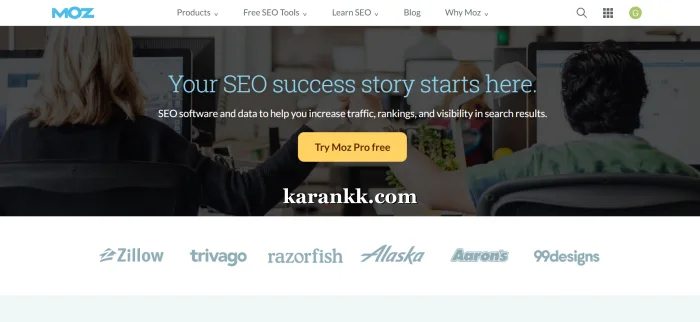
Moz Pro deserves mention because it’s one of the older, established tools and still has a loyal user base. Their Domain Authority metric is widely recognized even outside of Moz itself.
Moz Pro Pricing
| Plan | Monthly | Annual (per month) | Annual Savings |
|---|---|---|---|
| Standard | $99/mo | $79/mo ($950/yr) | Save $238/yr |
| Medium | $179/mo | $143/mo ($1,719/yr) | Save $429/yr |
| Large | $299/mo | $239/mo ($2,868/yr) | Save $720/yr |
Standard includes 1 user, 3 tracked sites, 300 tracked keywords/mo, 400K pages crawled/mo, AI Overviews by keyword, and 2 AI Content Briefs/mo.
Medium (most popular) adds 2 users, 10 tracked sites, 1,500 tracked keywords/mo, 2M pages crawled/mo, plus AI & GEO features: 2 AI Visibility Dashboards, 100 Tracked Prompts/month (GPT & Gemini), AI Prompt Suggestions, and 10 AI Content Briefs/month.
Large handles 3 users, 25 tracked sites, 3,000 tracked keywords/mo, 5M pages crawled/mo, 4 AI Visibility Dashboards, 200 Tracked Prompts/month, and 50 AI Content Briefs/month.
Moz is solid for keyword research fundamentals. But at $179/mo for the Medium plan, it’s competing with Semrush Guru at $208.33/mo annually — and Semrush offers significantly more for that price gap. Unless you specifically need Moz’s DA metric or have been using it for years with established baselines, it’s harder to justify for new users in 2026.
Head-to-Head Comparison
| Feature | Semrush Pro | Ahrefs Lite | Mangools Premium | Ubersuggest Business (Lifetime) | Moz Medium |
|---|---|---|---|---|---|
| Price | $117.33/mo (annual) | $108/mo (annual) | $26.35/mo (annual) | ₹18,900 one-time | $143/mo (annual) |
| Tracked Keywords | 500/day | 750/wk | 700 total | 150/domain | 1,500/mo |
| Websites | 5 | 5 projects | Unlimited domains | 7 domains | 10 |
| Backlink Data | Strong | Best-in-class | 500k/mo | 5,000 | Moderate |
| Historical Data | Not on Pro | 6 months | Limited | Limited | Not on Standard |
| AI Visibility | Semrush One add-on | Brand Radar add-on | Included (all plans) | Limited (add-on) | Medium+ plans |
| Free Trial | Yes | Starter $29/mo | Free account | Free credits | Yes |
| Best For | All-round SEO | Backlinks + keywords | Budget-focused bloggers | One-time payment users | DA-focused workflows |
Post-comparison context: If you’re a solo blogger running 1–3 sites with a tight budget, Mangools Premium at $26.35/mo gives you the most practical toolkit per rupee. Semrush Pro is the better choice if you need daily keyword tracking at scale and site audit capabilities. Ahrefs Lite wins for anyone who prioritizes backlink research alongside keyword work — the data quality there is noticeably better. Ubersuggest’s lifetime deal is genuinely worth it for bloggers who want to stop paying monthly fees and are managing a manageable number of sites without deep competitor analysis needs.
Who Should Skip Which Tool
Skip Semrush if you’re a beginner with one blog — the Pro plan will feel overwhelming, and the price is hard to justify until you’re generating revenue from SEO.
Skip Ahrefs if you need a free trial to evaluate the tool — they don’t offer one on paid plans. Also, skip it if your primary need is on-page content optimization; it’s not Ahrefs’ strength.
Skip Mangools if you’re an agency managing 20+ clients who need heavy-volume reporting, competitor analysis at scale, or deep content optimization workflows.
Skip Ubersuggest if you’re seriously scaling a competitive niche and need daily keyword tracking at volume — the per-domain limits are too restrictive.
Skip Moz Pro if you’re evaluating tools fresh in 2026 — for the same or slightly higher price, Semrush and Ahrefs offer more data, better tooling, and stronger AI feature roadmaps.
Pros & Cons
Semrush
Pros
- Largest all-in-one SEO toolkit available
- Pro plan covers keyword research, site audit, backlinks, and rank tracking together
- Semrush One adds AI and GEO visibility tracking — genuinely useful in 2026
- Free trial available on Pro and Guru
Cons
- Pro plan’s 500 tracked keywords/day and no historical data feels limiting at $117.33/mo
- JavaScript rendering in Site Audit requires Guru or higher ($208.33/mo)
- Add-ons (users, reports, lead gen) can push real costs significantly higher
- Two separate product lines (SEO Classic + Semrush One) create pricing confusion
Ahrefs
Pros
- Best backlink index in the industry — consistently cited as most accurate
- Keywords Explorer includes search intent, clusters, and SERP updates
- Brand Radar AI for tracking AI-search brand visibility
- Free tier + Starter plan at $29/mo for low-commitment entry
Cons
- No free trial on full plans — harder to test before committing
- Weekly rank tracking updates on Lite (not daily)
- Site Audit crawl limits (100k/mo on Lite) are lower than Semrush Pro’s 100k, with 20k per site
Mangools
Pros
- Best pricing in this comparison for solo bloggers — $18.85/mo annually
- AI Search Watcher PRO is included in all plans at no extra cost
- 48-hour refund policy with transparent cancellation
- KWFinder is one of the cleanest keyword tools to use daily
Cons
- No dedicated content optimization module
- Basic plan has no extra seats — not team-friendly
- Backlink data (100k–1.2M/mo depending on plan) is thinner than Ahrefs
Ubersuggest
Pros
- The only major tool offering a one-time lifetime payment
- Includes 20 hours of SEO course videos and email support — good for beginners
- Monthly pricing in INR is affordable for Indian users
- Yearly plan saves up to ~44% vs monthly
Cons
- Per-domain tracking limits are low on Individual and Business lifetime plans
- AI features on lifetime plans are the basic version — full AI requires an extra monthly cost
- The backlink database is the thinnest in this comparison
- AI Add-on for full features adds ₹850–₹6,525/month depending on plan
What to Do After Buying Your Tool
Whichever tool you pick, the first week matters:
- Add your domain and run a site audit immediately — catch technical issues before you dive into keyword research
- Set up rank tracking for your 10–15 most important current keywords as a baseline
- Run competitor analysis on your top 3 SERP rivals — look at what keywords they rank for that you don’t
- Build a keyword list organized by intent: informational, commercial, transactional — not just by volume
- Avoid the trap of targeting high-volume keywords before you have domain authority to compete — filter by keyword difficulty first
One thing I’ve noticed across client projects: people buy the tool and spend 80% of their time in the dashboard without actually publishing content. The tool is only as useful as what you do with the keywords it surfaces. If you’re still in the early stages of building your blog, it’s worth reading about how to optimize your content for SEO before you go deep into any keyword research workflow.
Free Keyword Research Tools Worth Bookmarking
Paid tools cover the depth. But if you’re just starting out — or want to validate a keyword before opening your main tool — these free options are genuinely useful. Not filler suggestions. These actually work.
Google Keyword Planner
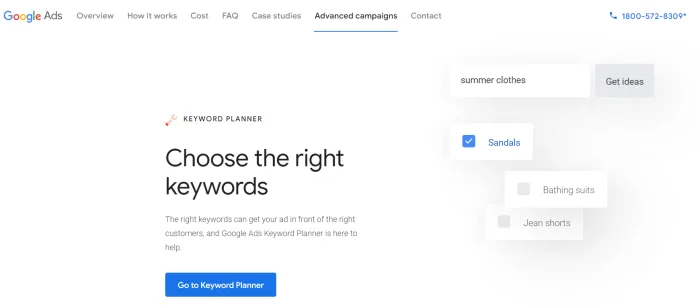
Still the most reliable source for search volume data because it pulls directly from Google Ads. The ranges it shows (100–1K, 1K–10K) are frustratingly broad for organic SEO, but for intent validation and discovering related terms, nothing beats first-party Google data. Free with a Google account — no ad spend required to access it.
Google Search Console
Technically not a keyword research tool, but the single most underused free SEO asset most bloggers already have. It shows exactly what queries your site is already ranking for, impressions, clicks, and average position. If you’re looking for quick-win keyword opportunities — pages ranking position 8–15 that need a content push — GSC is where you find them. If you’re setting up a new blog, connecting GSC should happen before anything else. Here’s a guide on how to optimize your content for SEO once your GSC data starts coming in.
Google Trends

Underrated for content planning. Doesn’t show search volume, but shows relative interest over time and geographic breakdowns. Use it to spot seasonal keyword opportunities, validate whether a topic is growing or dying, and compare two keyword ideas head-to-head. Completely free.
AnswerThePublic (Free Tier)

Shows questions, prepositions, and comparisons people search around a keyword — great for building FAQ sections and finding long-tail angles you’d miss in a standard keyword tool. The free tier limits daily searches, but for targeted research sessions, it works fine.
AlsoAsked
Similar to AnswerThePublic, but pulls directly from Google’s “People Also Ask” boxes. Useful for finding semantically related questions around a topic — especially for building topical authority across a content cluster. Free for a limited number of searches per day.
Ahrefs Free
Ahrefs offers a free tier that gives you site data, a limited keyword tool, a backlink checker, and a broken link checker — no credit card needed. It’s not the full Ahrefs experience, but for checking a competitor’s top keywords or a quick domain overview, it’s more useful than most standalone free tools.
Ubersuggest Free Credits
Every Ubersuggest account starts with free daily searches — limited but real. You get keyword suggestions, basic difficulty scores, and content ideas without paying. Useful for a blogger testing the tool before committing to a plan.
One honest note: free tools get you started, but they won’t replace a paid tool once you’re seriously building traffic. Volume estimates are rougher, keyword difficulty is missing or unreliable on most free options, and SERP analysis is either absent or very shallow. Think of them as a first filter — use them to shortlist, then validate the important ones in your paid tool.
Frequently Asked Questions
Is there a free keyword research tool worth using?
Yes — Ahrefs Free and Ubersuggest’s free credits both offer limited but functional keyword lookups without paying. Google Search Console, combined with Google Keyword Planner, covers the basics for new sites. But for serious research — keyword difficulty scores, competitor analysis, SERP overview — you’ll need a paid plan eventually.
Which keyword research tool is best for beginners?
Mangools is the most beginner-friendly paid tool. The interface is clean, keyword difficulty scoring is straightforward to understand, and the Basic plan at $18.85/mo (annual) is accessible. Ubersuggest is also beginner-friendly and includes SEO course videos with every plan.
Does Semrush have a free trial?
Yes. Semrush offers a free trial on their Pro and Guru (SEO Classic) plans and on the Starter and Pro+ (Semrush One) plans. The Business plan requires a direct subscription. Always use the trial before committing to annual billing.
Is Ubersuggest’s lifetime deal actually worth it?
For individual bloggers managing 1–3 sites who don’t need heavy rank tracking or deep backlink data, yes — ₹11,350 for the Individual lifetime plan pays for itself in under a year vs. monthly billing. The limitation is the per-domain keyword tracking cap. If you’re managing a competitive site or scaling to multiple projects, the Business lifetime at ₹18,900 is the more practical pick.
Can I use these tools to find keywords for a new blog?
Absolutely — that’s one of the primary use cases. Pair keyword research with a clear niche focus from the start. If you’re still figuring out your blog’s direction, it’s worth reading about how to choose a niche before you start targeting keywords.
How often should keyword research be updated?
Keyword trends shift — especially in competitive niches. Revisit your core keyword list every 3–6 months. Daily rank tracking handles the ongoing monitoring; deep research sessions are usually quarterly for most content-focused sites.
Do these tools work for non-English keyword research?
Semrush and Ahrefs have the strongest multilingual databases — both support Hindi, regional Indian languages, and most major global languages. Mangools’ KWFinder also handles multilingual research well with location-based SERP data. Ubersuggest is more limited on non-English market depth.
Final Verdict
If you want one recommendation for each type of user, here it is:
Blogger on a budget → Mangools Basic or Premium. The annual pricing is the best in this category, AI Search Watcher is included, and KWFinder is genuinely pleasant to use daily.
Freelance SEO or content marketer → Ahrefs Standard or Semrush Guru. Both are priced similarly annually and cover keyword research, backlinks, rank tracking, and content insights well. Ahrefs wins on backlink depth; Semrush wins on content optimization.
Indian blogger avoiding monthly fees → Ubersuggest Individual Lifetime at ₹11,350. Not the most powerful tool in this list, but the economics make sense if you’re running a focused niche blog and want zero recurring costs.
Agency or in-house team → Semrush Business or Ahrefs Advanced. The multi-user access, API, and scale justify the price at this level.
Pricing changes periodically — always verify current rates on the official sites before buying. For Semrush specifically, the introductory Semrush One pricing is worth locking in before it adjusts.
Try Semrush | Try Mangools | Try Ubersuggest