Most “best SEO tools” lists are written by people who’ve tested a free trial and moved on. I’ve been running blogs and client WordPress projects for 8+ years now — and over that time, I’ve paid for, broken, and genuinely depended on these tools. Some stayed. Some didn’t.
This guide covers what I actually use and why, not what sounds good on paper. If you’re just starting out, this will save you both money and the wrong decisions.
This post contains affiliate links. If you purchase through our links, we may earn a small commission at no extra cost to you. Thank you for your support!Before You Pick a Tool, Understand What You Actually Need
Here’s what most beginners get wrong: they start with a tool before knowing what job it needs to do.
SEO tools broadly fall into a few categories:
- Keyword Research — finding what to write about
- On-Page SEO / WordPress Plugin — optimizing your content before publishing
- Site Audit — finding technical problems on your site
- Rank Tracking — monitoring where you rank on Google
- Backlink Analysis — understanding your link profile vs competitors
A complete beginner doesn’t need all of these on day one. Start with keyword research and a WordPress SEO plugin. That’s where the actual work happens for a new site.
The Tools I Use and Recommend
1. SEMrush — Best All-in-One SEO Tool (My Primary Workhorse)
I’ve been using SEMrush for over 5 years now, and if I had to pick just one tool, this would be it.
My thinking is simple: you can build a website, but without proper research, you’re working blind. SEMrush is what tells me whether a niche is worth entering, which keywords competitors are ranking for, what content gaps exist, and how strong a site’s backlink profile is. For client projects, especially, this is the first tab I open.
What makes SEMrush genuinely useful for beginners:
- Keyword Magic Tool — Enter any seed keyword and get thousands of related terms with difficulty scores, search volume, and CPC. For a beginner, filter by keyword difficulty under 30 and start there.
- Domain Overview — Paste any competitor URL and instantly see what keywords they rank for, their estimated traffic, and their top pages. This alone is worth the subscription.
- Site Audit — It crawls your site and lists technical issues in priority order. Things like broken links, missing meta tags, slow pages — you get a clear fix list.
- Position Tracking — Add your target keywords, and SEMrush shows you daily rank movement. Satisfying when things move up. Useful when they don’t.
Where it falls short for a pure beginner:
The interface is large. There are close to 50 tools inside SEMrush, and it can feel overwhelming on day one. My advice — don’t try to use everything. Start with Keyword Magic Tool and Domain Overview. That’s enough to keep you busy for months.
Pricing:
- Pro: $139.95/month (billed monthly) or $117.33/month (billed annually)
- Guru: $249.95/month (billed monthly) or $208.33/month (billed annually)
- Free limited plan available with 10 queries/day
For beginners, the free plan is worth trying. If you’re serious, Pro is where you’ll land.
2. Rank Math — Best WordPress SEO Plugin (Free Version is Excellent)
I started with Yoast. For years, it was the default choice — and honestly, Yoast is a solid plugin, still used by millions of sites today. I’m not here to trash it.
But when I looked at what was locked behind Yoast’s paid wall versus what Rank Math gives you for free, the math was obvious. Things like multiple focus keywords, schema markup, redirections, and 404 monitoring — these are paid features in Yoast, and free in Rank Math.
I switched my own sites to Rank Math and later migrated a few client sites too. The migration itself is clean — Rank Math has a built-in importer that pulls all your Yoast data across without losing settings.
What Rank Math does well:
- Content Analysis — Real-time on-page checks as you write. It shows whether your focus keyword appears in the title, URL, meta description, first paragraph, headings, and alt text.
- Schema Markup — Article, FAQ, Product, Recipe — you can add structured data without touching code. This matters for rich results.
- Redirections (Free) — Manage 301 redirects directly from the dashboard. Yoast charges for this.
- Google Search Console Integration — See your rankings and keyword data inside WordPress. Saves tab-switching.
What’s honest to say:
The free version is strong for most beginners. The paid version (Rank Math Pro) adds advanced schema types, analytics, and rank tracking — genuinely useful if you’re running a serious content site or agency work. Worth it when you’re ready. The free version will carry you a long way first.
Pricing:
- Free: Available on WordPress.org
- Pro: $6.99/month (billed annually at $83.88/year)
- Business: $20.99/month (billed annually)
3. Google PageSpeed Insights — Free Technical SEO Check You Shouldn’t Skip

A slow website hurts rankings. That’s not speculation — page speed is a confirmed Google ranking factor, and Core Web Vitals (LCP, CLS, FID) directly affect how Google evaluates your site’s experience.
PageSpeed Insights gives you a free performance score for any URL — 0 to 100 — for both mobile and desktop, along with a specific list of what to fix.
From a developer standpoint, what I look for first are render-blocking scripts, unoptimized images, and missing lazy loading. These three alone account for most speed problems on beginner WordPress sites. A plugin loading extra JS that delays LCP by 2 seconds is the kind of thing PageSpeed Insights flags clearly — and it’s the kind of thing that quietly costs you rankings without ever showing up in your keyword data.
What to actually do with it:
Run your homepage URL through the tool. Focus on two things: the Mobile Performance Score and the Opportunities section below it. The Opportunities list ranks fixes by potential impact and explains each one in plain language.
Don’t get lost in the waterfall charts — those are for developers. Your job as a beginner is to identify the top 2–3 issues and fix them one at a time. On WordPress, plugins like Smush (image compression) and WP Rocket (caching) resolve the most common problems without touching code.
Run it, fix the top items, run it again. Repeat every few months as you add new content and plugins.
Pricing: Free. No account needed, works on any URL.
4. SE Ranking — Best Budget-Friendly All-in-One Tool
If SEMrush feels too heavy on the wallet right now, SE Ranking is the closest thing to a genuinely complete tool at a beginner-friendly price.
It covers keyword research, site audits, rank tracking, backlink monitoring, and competitor analysis — all inside a clean interface that doesn’t take weeks to learn. I’ve used it on client projects where SEMrush wasn’t in the budget, and for most standard SEO work, it holds up well.
Where SE Ranking stands out:
- Rank Tracker is one of the most reliable in this price range. Daily updates, location targeting, desktop vs mobile splits — all included.
- Keyword Research gives you search volume, difficulty, CPC, and SERP analysis. Not as deep as SEMrush’s database, but solid for most niches.
- Website Audit does a thorough crawl and scores your site’s technical health. Useful for new site setup and ongoing maintenance.
- White Label Reports — if you’re doing client SEO, SE Ranking lets you send branded reports without the expensive agency tiers some other tools force you into.
Where it’s limited:
The backlink database is smaller than SEMrush or Ahrefs. For competitive link analysis, you’ll notice gaps. For beginner sites and small client projects, it’s rarely a problem.
Pricing:
- Essential: $65/month (billed monthly) or $52/month (billed annually)
- Pro: $119/month (billed monthly) or $95.20/month (billed annually)
- Business: $259/month (billed monthly) or $207.20/month (billed annually)
- 14-day free trial available
5. Mangools — Simplest Tool for Keyword Research
Mangools is one of those tools that does a specific job exceptionally well without making your life complicated. It’s built around KWFinder — a keyword research tool with one of the cleaner interfaces you’ll find.
For a beginner who’s overwhelmed by dashboards, Mangools is genuinely a good starting point. Type in a keyword, get difficulty, search volume, and a SERP preview showing exactly who’s ranking and how strong those sites are. The difficulty score is color-coded and easy to read — green means a newer site can compete, red means don’t bother yet.
What’s included in Mangools:
- KWFinder — Keyword research with SERP analysis
- SERPChecker — Analyze competitor pages in detail
- SERPWatcher — Rank tracker with daily updates
- LinkMiner — Backlink checker
- SiteProfiler — Domain authority and overview
Five tools, one clean subscription. For beginners who want everything organized simply, this works.
Honest limitation: The database isn’t as large as SEMrush, so for very niche or regional keywords, you might see thinner data. But for most standard English-language niches, it’s more than enough to get started.
Pricing:
- Entry: $29/month (billed monthly) or $19.90/month (billed annually)
- Basic: $49/month (billed monthly) or $29.90/month (billed annually)
- Premium: $69/month (billed monthly) or $44.90/month (billed annually)
- Agency: $129/month (billed monthly) or $89.90/month (billed annually)
- 10-day free trial available
6. Ubersuggest — Best Free Starting Point for Zero Budget
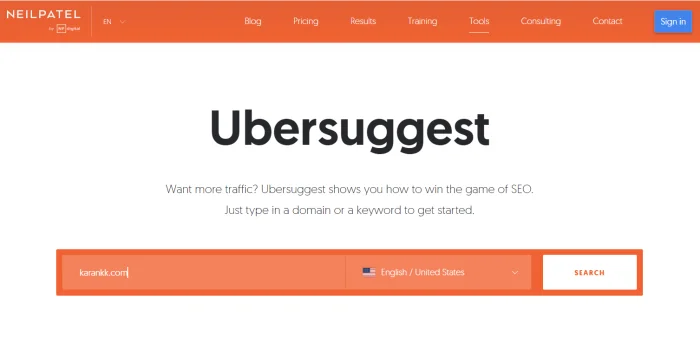
If your budget is ₹0 and you want to at least understand what keywords exist before committing to a paid tool, Ubersuggest is where to start.
Neil Patel’s tool has improved significantly over the years. The free version gives you keyword ideas, a basic domain overview, and content suggestions. It’s not going to replace SEMrush, but for a beginner writing their first 20 articles, it’s enough to make informed decisions about what to target.
What works in Ubersuggest:
- Keyword suggestions with search volume and difficulty
- Domain overview — paste a competitor and see their top keywords
- Content Ideas — finds popular articles in your niche based on social shares and backlinks
- Site Audit (limited on free plan)
What doesn’t:
The free plan limits you to a handful of daily searches. The data accuracy is decent but not always in line with what tools like SEMrush show — so treat it as directional, not precise. I’ve used it occasionally for quick checks, but wouldn’t run a serious client project on it.
Pricing:
- Free: Limited daily searches
- Individual: $12/month (billed monthly) or $120/year (lifetime options available)
- Business: $20/month (billed monthly)
- Enterprise: $40/month (billed monthly)
For the lifetime deal Neil Patel periodically offers — if you catch it, it’s worth it for the price.
7. Google Keyword Planner — Best Free Keyword Research Starting Point
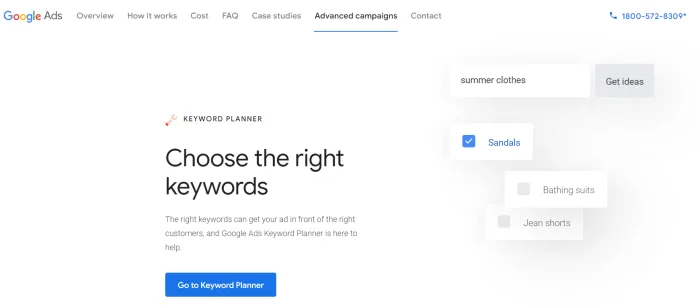
Agar budget zero hai aur Ubersuggest bhi limited lag raha hai, Google Keyword Planner ek solid backup hai — especially because the data comes straight from Google itself. No third-party estimates.
It was built for Google Ads — the original purpose is finding keywords to bid on. But as a free keyword research entry point for SEO, it works. You get search volume ranges, competition level, and CPC data. All of it straight from the source.
What’s useful for beginners:
- Enter a topic or seed keyword → get a list of related keyword ideas
- Filter by low competition to find terms where smaller sites have room
- Enter a competitor URL instead of a keyword — Keyword Planner pulls the terms they’re targeting across their site. Fast way to find content gaps
The honest limitation:
Unless you’re actively running Google Ads, you’ll see volume as a range — “1K–10K” instead of an exact number. Useful for comparing relative demand between keywords, less useful for precise planning. Once you can afford Mangools or SE Ranking, those give you exact numbers.
Still, for a beginner who wants to understand what people actually search for before spending a rupee on tools, this is the right starting place.
Pricing: Free. Requires a Google Ads account, but you don’t need to run any active campaign.
8. Answer The Public — Best Tool for Content Ideation

Keyword research tells you how many people search for something. Answer The Public tells you what they actually want to know about it.
Enter any topic, and it generates a visual map of real questions people ask — organized by question type (what, how, why, when, which), comparisons, and related searches. The data is pulled from Google and Bing autocomplete, so these are queries real users are actively typing.
For content planning, this is genuinely useful. When I’m building out a new topic cluster or planning FAQs for a client site, this is often the first tab I open — before even touching a keyword tool. It surfaces angles that straight keyword research misses.
Practical example: Search “Rank Math” and you’ll see questions like “Does Rank Math slow down website,” “Rank Math vs Yoast for beginners,” “how to use Rank Math for SEO” — these are real content opportunities that a keyword volume tool wouldn’t surface unless you knew to look for them.
Limitation worth knowing:
The free version gives you a limited number of daily searches. The paid plan (Answer The Public Pro) removes limits and adds search volume data. For most beginners doing occasional content planning, the free version is sufficient to start.
Pricing:
- Free: Limited daily searches
- Individual: $9/month (billed annually)
- Pro: $99/month (billed monthly) or check the official site for current annual pricing
Use it alongside your main keyword tool — not as a replacement. Think of it as your “what are people confused about” research, and your primary keyword tool as the “how big is this opportunity” validation.
9. Google Search Console — The One Free Tool You Cannot Skip

No matter which paid tools you use, Google Search Console is non-negotiable. It’s free, it comes directly from Google, and it shows data no third-party tool can replicate — because it IS Google’s data.
What it tells you:
- Which keywords are your pages showing up for in search results
- How many clicks and impressions each page gets
- Your average position per keyword
- Indexing status — whether Google has found and crawled your pages
- Core Web Vitals issues directly flagged by Google
Here’s the move most beginners miss: go to Performance, filter by a specific page, and look at the keywords it’s getting impressions for. You’ll almost always find search queries you weren’t even targeting — often better than your original keywords. That’s free keyword intelligence sitting right there.
Pros and Cons
SEMrush
Pros
- Most complete all-in-one tool available
- Accurate keyword and competitor data
- Site audit is thorough and well-prioritized
- Works well for both beginner research and advanced agency use
Cons
- Expensive — Pro plan is $117.33/month when billed annually
- Learning curve is real — too many features can overwhelm newcomers
- The free plan is very limited (10 queries/day)
Rank Math
Pros
- Free version genuinely covers most beginner needs
- Schema, redirections, and multiple keywords — all free
- Cleaner import from Yoast than most people expect
- GSC integration built-in
Cons
- Advanced analytics and rank tracking require Pro
- Some schema types are paywalled
- Slightly heavier on resources than Yoast in some setups
SE Ranking
Pros
- Best value for money in the all-in-one category
- Rank tracking is accurate and reliable
- White label reports on mid-tier plans — good for freelancers
- Clean interface with a manageable learning curve
Cons
- Backlink database smaller than SEMrush and Ahrefs
- Keyword database depth not as strong for very competitive niches
Mangools
Pros
- KWFinder has one of the cleanest interfaces in this price range — no overwhelm for beginners
- 5 tools in one subscription — KWFinder, SERPChecker, SERPWatcher, LinkMiner, SiteProfiler
- Color-coded keyword difficulty makes it instantly clear whether a keyword is worth targeting
- Entry plan at $19.90/month (annual) — most affordable paid option in this list
Cons
- Backlink database is smaller compared to SEMrush and Ahrefs
- Data thins out for Hindi and regional language keywords
- No site audit feature — you’ll need a separate tool for technical SEO checks
Ubersuggest
Pros
- Free plan available — you can get keyword ideas without spending anything
- Simple interface — not confusing for someone just starting out
- Domain overview is useful for a quick look at competitor keywords
- Lifetime deal periodically available — good long-term value if you catch it
Cons
- Free plan daily search limit is very low — not enough for serious use
- Data accuracy isn’t as reliable as SEMrush — treat it as directional, not precise
- Not suitable for client projects — both features and data depth are too limited
Quick Comparison: Which Tool Does What
| Feature | SEMrush | SE Ranking | Mangools | Ubersuggest |
|---|---|---|---|---|
| Keyword Research | Extensive | Good | Good | Basic |
| Site Audit | Comprehensive | Solid | Basic | Limited |
| Rank Tracker | Yes | Yes (accurate) | Yes | Yes (limited free) |
| Backlink Analysis | Strong | Moderate | Moderate | Weak |
| Competitor Research | Best-in-class | Good | Moderate | Basic |
| Ease of Use | Medium | Easy | Very Easy | Easy |
| Starting Price | $117.33/mo (annual) | $52/mo (annual) | $19.90/mo (annual) | $12/mo |
| Free Plan | 10 queries/day | 14-day trial | 10-day trial | Yes (limited) |
| Best For | Serious SEO + clients | Budget all-in-one | Keyword research | Zero-budget start |
Post-comparison note:
If you’re a complete beginner with some budget, SE Ranking gives the best combination of features and affordability. If you’re doing client work or competitive niches, SEMrush is where you’ll eventually land — and the sooner you learn it, the better. Mangools is the right call if keyword research is your primary need and you want something clean and fast to use. Ubersuggest is only for zero-budget situations — treat it as a starting point, not a permanent solution.
Who Should Use What
You’re a beginner with no budget: Start with Google Search Console + Ubersuggest + Rank Math (free). This gets you keyword research, on-page optimization, and traffic data at ₹0.
You have a small budget (₹2,000–₹4,000/month): Mangools or SE Ranking covers everything you need at this stage — keyword research, rank tracking, and basic site audit.
You’re doing serious content work or client SEO: SEMrush is the honest answer. The depth of competitor research and keyword data makes a real difference when the stakes are higher.
You’re on WordPress and want the best free plugin: Rank Math. Install it, run the setup wizard, and follow the on-page checklist for every article you publish.
What to Do After Setting Up Your Tools
Getting the tools is step one. Getting value from them is another.
For Rank Math: After installation, run the Setup Wizard completely. Then, for every post you write, set a focus keyword and check the Content Analysis score before publishing. Aim for 80+ without forcing it.
For SEMrush or SE Ranking: Before writing any article, run the keyword through the tool. Check difficulty, search volume, and SERP composition. Whose ranking on page 1? Are they big authority sites or smaller blogs? If smaller sites are ranking, you have a shot.
For Google Search Console: Check it at least once a week. Look at which queries are getting impressions but no clicks — those are pages where your title or meta description needs work.
Common mistake to avoid: Don’t treat SEO tool scores as the finish line. A 100/100 on-page score doesn’t guarantee rankings. Content quality, search intent match, and topical depth matter more than green checkboxes.
Frequently Asked Questions
Which is the best free SEO tool for beginners?
Google Search Console is the most useful free tool, period — because the data comes directly from Google. Pair it with Rank Math (free WordPress plugin) and Ubersuggest for basic keyword research, and you have a workable zero-cost setup to get started.
Is SEMrush worth it for a beginner?
Honestly, not on day one. Start with free tools first. SEMrush becomes genuinely worth it once you’re publishing consistently and need to go deeper on competitor research, keyword gap analysis, and tracking rankings at scale. For someone just starting, the free or SE Ranking tier is a smarter entry point.
Rank Math vs Yoast — which is better?
Both are solid plugins. Yoast has been around longer, and many developers are more familiar with it. But for most beginners, Rank Math’s free tier offers more — multiple focus keywords, schema markup, redirections — without needing a paid plan. If you’re already on Yoast and it’s working, there’s no urgent reason to switch. But for a fresh install, I’d pick Rank Math today.
Can I do SEO without any paid tools?
Yes, especially in the early months. Google Search Console, Google Keyword Planner, and Rank Math (free) give you enough to build a solid content foundation. Paid tools accelerate the process and add competitive intelligence, but they’re not mandatory from day one.
How long does it take to see results from SEO?
Realistically, 3 to 6 months for a new site, and that’s with consistent publishing. Tools help you optimize and track progress, but SEO isn’t instant. The blogs that grow are the ones that publish consistently and improve based on what the data shows — not the ones with the most expensive tool subscriptions.
Is Mangools good for Indian bloggers?
Yes — the KWFinder interface is clean, the keyword data is solid for most English niches, and the entry plan at $19.90/month (billed annually) is accessible. If you’re targeting Indian search queries in Hindi or regional languages, the data thins out — in that case, GSC combined with SEMrush will serve you better.
Do I need a separate rank tracking tool?
Not necessarily if you already have SE Ranking or Mangools — both include rank trackers. Google Search Console also shows average position, which is enough for early-stage tracking. A dedicated rank tracker becomes useful when you’re managing 50+ keywords or multiple client sites.
Final Verdict
There’s no single “best SEO tool” — there’s the right tool for where you are right now.
Start free: Google Search Console, Rank Math, and basic keyword tools will carry a new blog further than most people realize. Once you’re publishing consistently and need competitive data, SE Ranking is the most affordable complete option. And if you’re serious about client work or want the most accurate data available, SEMrush is where you’ll eventually end up anyway — better to learn it early.
Pick one tool from each category, learn it properly, and keep publishing. That’s what actually moves rankings.